
Pixel Pak:
The Pixel Art Editor
In Your Pocket
Pixel Pak is a pixel art editor made for touch screens as much as for mice. Layers, animation, tile maps and game-ready exports. It installs like an app and works offline, with no account to make.
Runs in your browser on phone, tablet and computer. Add it to your home screen to use it like an app.
Screenshots
See It In Action
Screenshots from the real app, with Little Devil as the model.
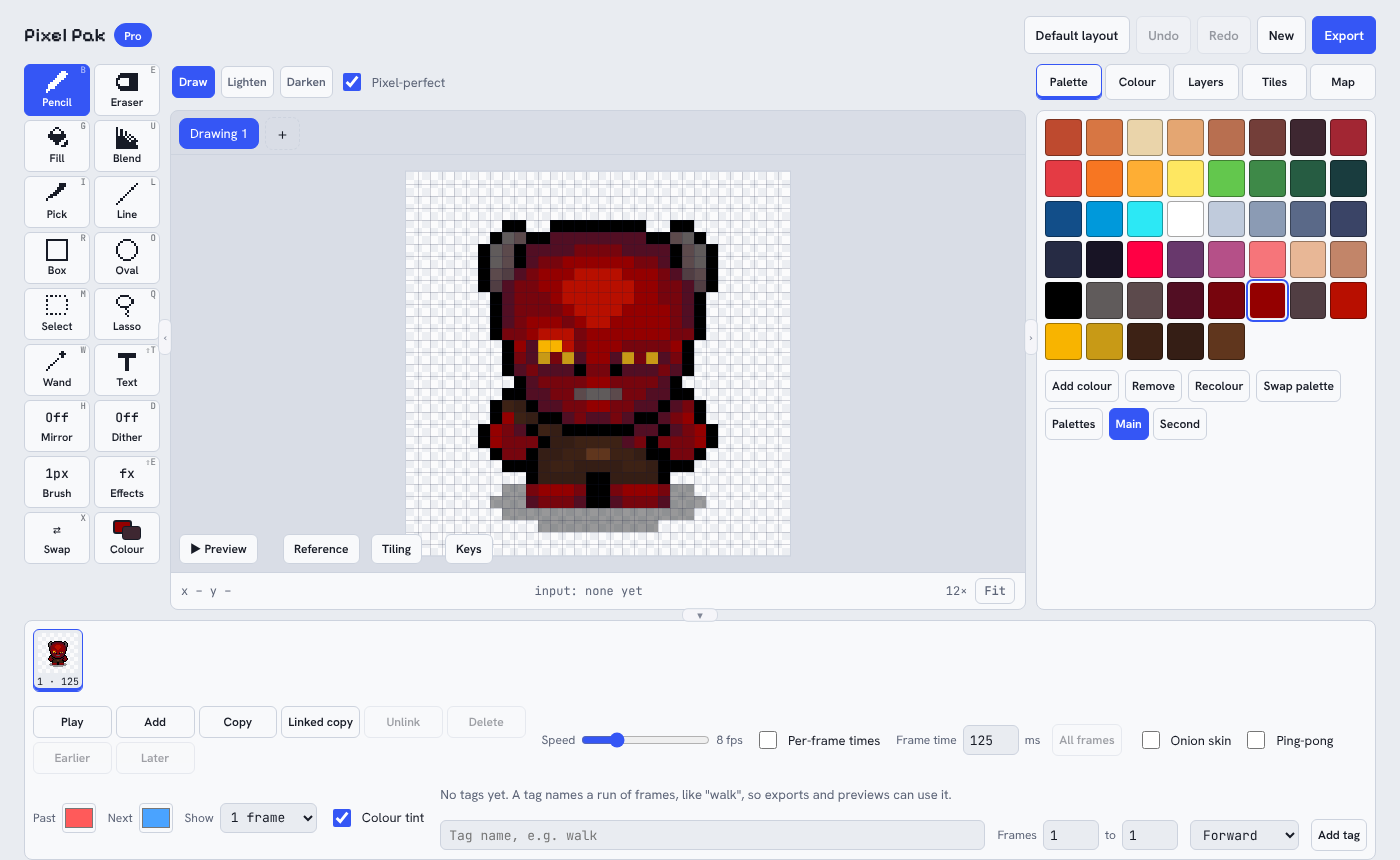
The editor. Tools down the left, canvas in the middle, palette and layers on the right, animation frames along the bottom. On a phone it rearranges itself for your thumbs.
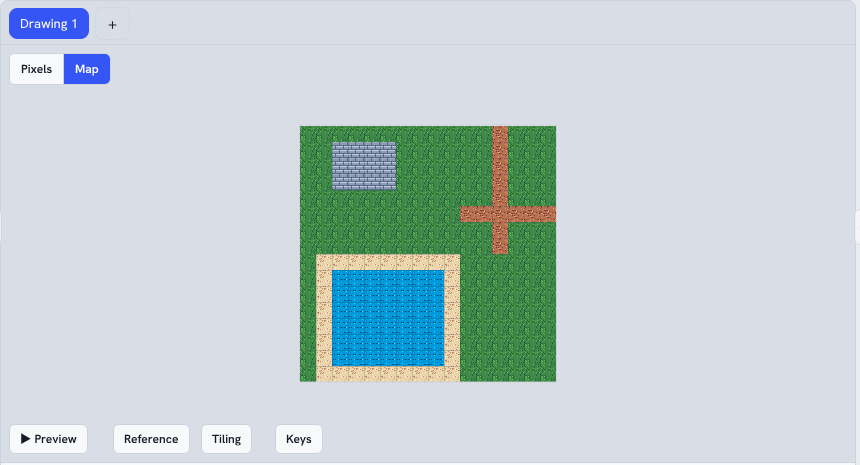
Tile maps. Draw a tileset, then stamp whole levels. Autotiling picks the right edge pieces for you.
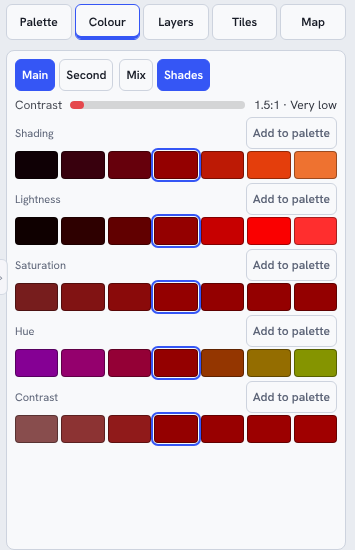
Colour tools. Shading, hue and contrast rows, plus a bar that tells you if two colours stand out enough from each other.
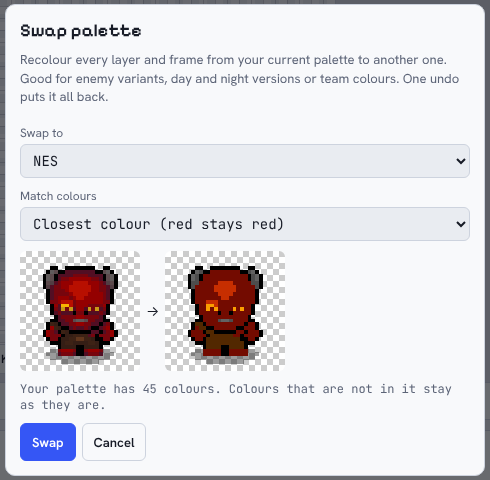
Swap palette. Recolour a whole drawing into another palette with a live preview. Here: Little Devil in NES colours, matched to the closest colour so he stays red.
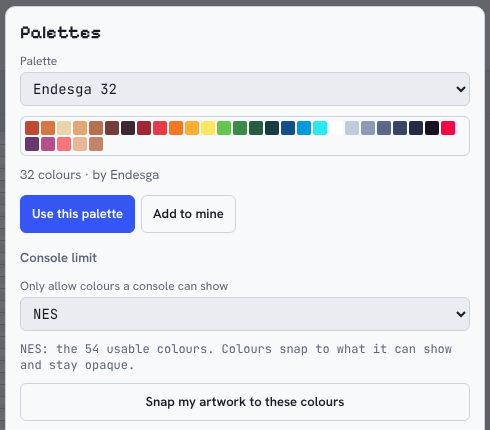
Console limits. Pick a machine such as NES, SNES, Game Boy or Master System and your colours lock to what it can show. One button snaps finished art to match.
Features
What's Inside
Layers
Stack, hide, reorder and blend your artwork. Free has 2 layers, Pro has 12.
Animation
Frames, onion skin, per-frame timings, ping-pong, and named tags like "walk" or "jump". Export GIF or animated PNG.
Tile Maps
Build tilesets and levels in the same tool, with autotiling. Export for Tiled in Pro.
Selection Tools
Box select, wand and freehand lasso. Hold Shift to add, right-click to take away, or use the Add and Subtract buttons on a touch screen.
Palettes
Built-in palettes from Endesga 32 to PICO-8 and Game Boy, plus import and export of GIMP, JASC, Paint.NET and Lospec files.
Retro Mode
Lock your colours to a real console (NES, SNES, Game Boy, Master System, C64 and more), or swap a finished drawing into one of those palettes.
Smart Scaling
Enlarge or shrink sprites with pixel-art-aware methods (Scale2x, Scale3x and RotSprite rotation) so edges stay crisp.
Game-Ready Exports
PNG, GIF, sprite sheets with a JSON atlas (including pivot points), and a zip bundle for your engine.
Offline, No Account
Install it once and it works without internet. Projects save as .pxpak files on your own device, and autosave keeps your work between visits.
Free & Pro
Free And Pro
Free is a real editor you can keep using. Pro lifts the limits and adds the power tools.
| Free | Pro | |
|---|---|---|
| Biggest canvas | 32 × 32 px | 256 × 256 px |
| Layers | 2 | 12 |
| Animation frames | 4 | 64 |
| Tile map size | 16 × 16 | 128 × 128 |
| Drawings open at once | 1 | 8 |
| Lasso, Blend, Text, Mirror, Dither | Not included | Included |
| Smart scaling and RotSprite | Not included | Included |
| Palette import, pivot points, replace colour | Not included | Included |
| Sprite-sheet atlas, Tiled export, zip bundle | Not included | Included |
| PNG and GIF export, pencil, fill, wand, shapes, selection, palettes, console limits | Included | Included |
One licence works on up to 3 of your devices. Pro is coming soon.
Questions
Good To Know
Do I need an account?
No. Open the app and start drawing. Pro needs a licence key, which you paste in once.
Does it work offline?
Yes. Once it has loaded, it works without internet. Pro needs to be online occasionally to refresh your licence, and keeps working for up to 30 days between checks.
Where is my artwork stored?
On your own device, in your browser, and in the project files you save. Nothing is uploaded when you draw. Save a .pxpak file now and then as a backup.
I changed phone. Can I move my licence?
Yes. Each licence works on 3 devices, and you can remove an old device from inside the app's Licence window to free a space.
Is it a subscription?
No. Pro will be a single payment.
Who makes Pixel Pak?
Pixel Pak is built by MI Pixel Ltd, the small UK indie studio behind Little Devil and Defend from Candyland!, because we wanted a pixel art editor that worked as well on a phone as on a PC.
Try It Now
Ready To Draw?
Free to use, no sign-up. Questions or feedback? Email Michael@MIPixel.co.uk.